Practice you can see. Students who want to play.
Melodash turns home practice into a game your students play on their real instruments, and gives you an honest picture of what happened between rehearsals. Built by a band and choir director, for music classrooms and private studios.
- Seat 3 · Trumpet34 minHeard playingLip slurs, Tier 6 · rated it 4/5
- Ava R. · Flute22 minHeard playingConcert Bb scale · rated it 5/5
- Marcus · Snare15 minTimerRudiments
- Card 12 · Clarinet41 minHeard playingRhythm, Tier 4
A sample. The names are your own private labels; students never see them.
Every director knows the practice card that gets signed in the car on the way to school. Melodash makes the practice real, lets the student feel it paying off, and lets you see it without collecting a single form.
Designed solo by a professional musician and licensed administrator, band, choir, and technology teacher with 27 years in the classroom experience.
Everything a music classroom actually needs.
No forms to collect and no minutes to add up. Your classes, your students and your rehearsal room, all in one place.
Practice you can trust
Every session shows how its time was counted, so you know the difference between playing and a running clock.
- Heard playing: the microphone heard the instrument. The clock only runs while the student plays.
- Timer: practice timed without the microphone.
- Self-reported: added by hand, limited and clearly marked.
- Date, minutes, instrument, focus and the student’s own rating for every session.
Young students, no email needed
Print class login cards with a QR code and a three-picture password. Students scan, tap their pictures and play.
- Cards never show a name. Your private card key matches numbers to students.
- A ready-to-send family letter explains Melodash to parents.
- On shared classroom devices, a card signs out on its own after 20 idle minutes.
A board you can put on the projector
Each class has its own weekly board: Resonance, minutes heard playing, or new three-star exercises. Stage Names only, so it is safe to show the whole room.
- Section boards by instrument, inside your class.
- Send a student encouragement once a day. They see it from “Your teacher.”
- You decide whether students compete beyond your class.
Choir and ear-training tools
For choir directors and general music, Melodash goes beyond the practice log.
- A choir view by section: range, notes in tune, sight-singing level and the notes a section misses together.
- Type in your own parts or import MusicXML, and set assignments with due dates.
- Projector warm-ups for the whole room, no student devices: Choir Warm-Up and Class Ear Warm-Up.
- A Class Ear Report showing the sounds your students mix up most.
Your whole ensemble, not just one instrument.
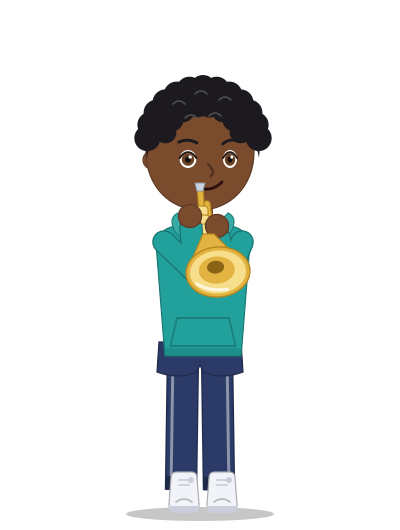
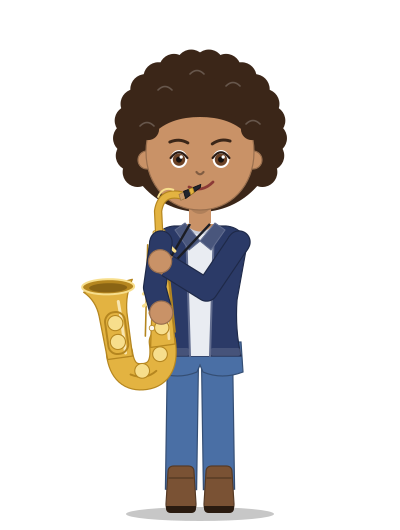
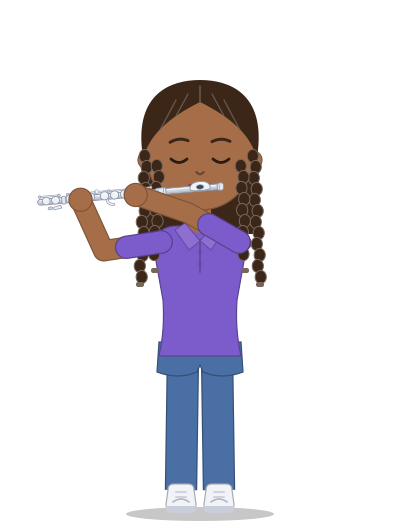
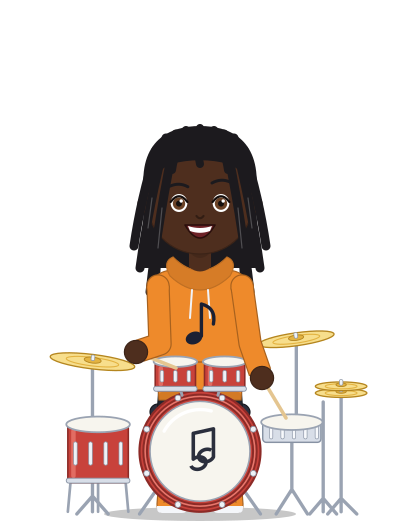
Scales, Rhythm and Ear Training work for every player. Trumpet, trombone, French horn, flute, all four saxophones, guitar, percussion and voice each have a full challenge ladder of their own, from a first long tone to all-state level.
Privacy your principal will sign off on.
Melodash was designed from day one for classrooms full of children.
- Practice sound stays on the deviceThe microphone is used to hear playing. Melodash never records anyone, at any age. No audio is ever saved or sent.
- No real names in publicStudents appear only as generated Stage Names. You add your own private labels to the roster, seen only by you.
- No chat and no typed text between playersOnly preset, positive cheers. You can leave your own students short notes about their practice; parents can read them, and students can’t reply.
- Verified teachers onlyTeacher accounts need a school email and are approved by hand before they can see a single student.
- A signed agreement for your districtSend Melodash’s Student Data Privacy Agreement to whoever signs for your district, right from Classes. It covers FERPA, COPPA and Nevada’s student-privacy law, and promises no ads, no selling and deletion on request. Until it’s signed, students under 18 join once a parent says yes.
- Under 13s are coveredLogin cards switch on with the district’s agreement. Reminders and recaps for young students go to their parents, never to the child.
- Students can leave cleanlyRemoving a card student deletes the account and everything in it.
Up and running before your next rehearsal.
- Sign in with your school emailOpen Melodash and sign in with your district or school account. Personal email addresses aren’t accepted for teacher accounts.
- Request a teacher accountChoose “I’m a teacher” and add your school and the name your students will see. Every request is checked by hand before the account opens.
- Create a classGive it a name and you get a class code. Students with their own accounts join with the code.
- Print login cards for younger studentsType your private names, one per line, and print. Send the family letter home with the cards.
- PlayStudents make their musician, pick their instrument and start. Their practice appears in your class right away.
Questions directors ask
What does it cost?
Melodash is free to play and free for teachers right now.
What devices do students need?
Any phone, tablet, Chromebook or computer with a modern browser and a microphone. There is nothing to install. On shared devices, students sign in with their login cards.
Can a student fake practice time?
With the microphone on, the clock only runs while the app hears playing, and pauses on its own. Sessions without the microphone are marked Timer, and hand-added time is marked Self-reported and limited, so you always know which is which. Boards count only minutes the microphone heard.
Does it work for instruments without their own challenge yet?
Yes. Every instrument plays Scales, Rhythm and Ear Training, and every instrument’s practice time is tracked. Clarinet, oboe, bassoon, strings and piano have their own challenge ladders on the way.
Can I hear my students play?
Not through Melodash. It never records anyone, so no audio ever leaves a student’s device. You see what the listening found instead: scores, stars, the notes hit in time, and practice minutes it heard.
What do parents see?
A parent who links with their child’s family code sees the same practice details you do, and can get reminder and weekly recap emails, once you confirm them as the parent (Melodash lists them under the class). Neither of you sees the student’s written notes.
Give your students a reason to open the case tonight.
Set up a class in minutes. Your students will take it from there.